
Gallery- iOS Photo Album Vault
Video Downloader, Photo Video Maker with musicPhotography
4.627.00 Reviews
- Version
- 19.0
- Installs
- 100.00K
- Age Rating
- Everyone
Screenshots
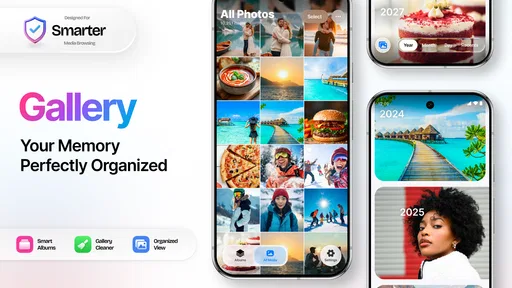
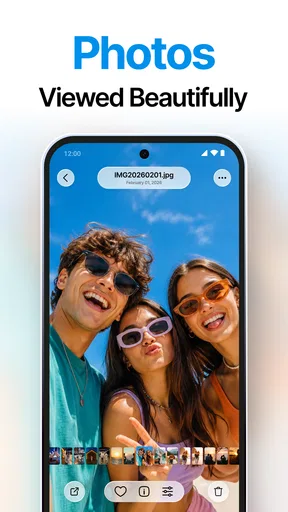
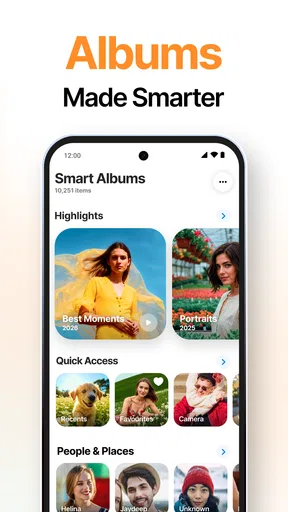
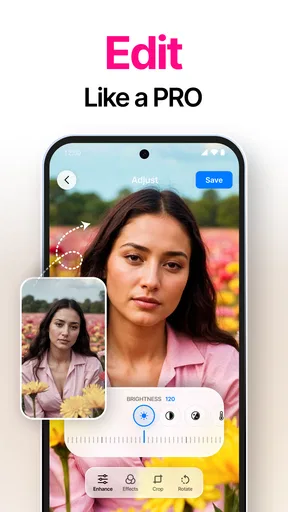
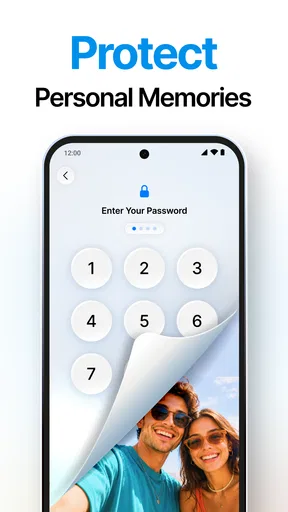
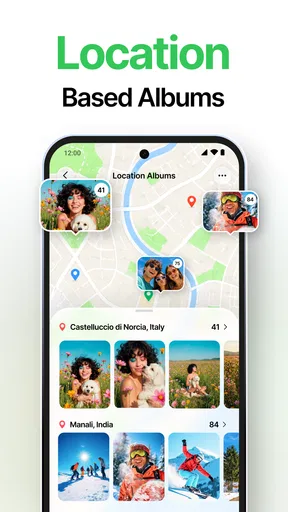
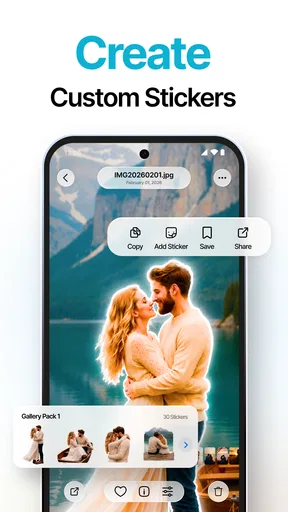
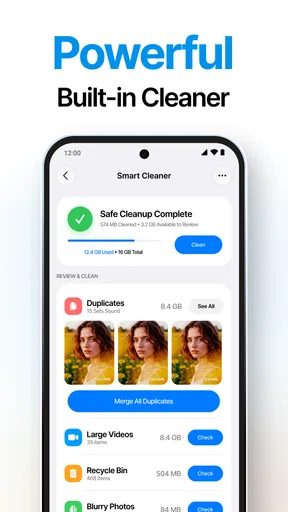
Our Review of Gallery- iOS Photo Album Vault
 Analysis by Appyee
I tried Gallery- iOS Photo Album Vault as a straightforward photography app for keeping everyday pictures and videos in order, and my first impression was that it aims to replace the basic gallery experience with something more private and organized. It is free to download, carries an Everyone age rating, and focuses on browsing albums, hiding personal media, and placing extra protection around content that you do not want immediately visible. That makes it more interesting than a plain scrolling camera roll, especially if your phone contains a mixture of family photos, work images, saved videos, and private files.
The app is listed in the Photography category and comes from Video Downloader, Photo Video Maker with music. It has reached over 100,000 installs and holds a 4.6 average from around 3,300 ratings, which suggests that many people find its basic approach useful. I would still treat those figures as a starting point rather than a guarantee, because a gallery app succeeds or fails according to how naturally it fits into your daily habits. The important question is not whether it looks attractive in a store preview, but whether it makes finding, separating, and protecting your own media easier than the gallery already built into your phone.
How the app fits into everyday photo management
At its core, this is a personal media organizer. Instead of treating every image and video as one long stream, it gives you a place to think in terms of albums and selected content. That distinction matters when your camera roll has grown messy. A normal phone gallery is excellent for quickly seeing recent shots, but it can become awkward when you need to separate travel memories from receipts, screenshots from family pictures, or private videos from content you are happy to show someone.
The most useful idea here is the combination of organization and privacy. Many gallery tools handle albums well but leave sensitive items sitting in the main view. Others concentrate almost entirely on a vault and make ordinary browsing feel secondary. This app tries to cover both jobs, so I found it better suited to people who want one place for regular viewing and occasional hiding rather than a dedicated security tool alone.
There is also a practical difference between hiding a single image and hiding an entire album. If you are sorting a group of pictures from a trip, a project, or a personal collection, album-level thinking can save time and reduce the chance of leaving one related file exposed in the main gallery. I would begin by creating broad groups first, then move only genuinely private material into a protected area. That keeps the everyday view useful instead of turning the vault into another cluttered archive.
What I would do during the first setup
I would not start by importing everything at once. A better workflow is to open the gallery, identify the folders or albums that matter most, and decide which content should remain easy to reach. For example, recent family photos can stay in the normal browsing area, while scans of documents, personal screenshots, or private videos can be separated. This approach makes the app feel intentional rather than like a second copy of the same camera roll.
It is also worth testing the hide-and-lock behavior with a small, unimportant group before relying on it for irreplaceable material. Move a few sample files, close the app, and return to confirm that you understand where they appear and how to restore them. That is not a criticism unique to this app; it is sensible practice with any private gallery because a protection feature is only helpful if its workflow is clear to you.
One non-obvious benefit of this gradual approach is that it exposes duplicate habits. Many people keep several versions of the same image because the phone gallery makes them easy to overlook. While arranging albums, I noticed that separating “keep,” “share,” and “archive” content is often more valuable than creating dozens of narrowly named albums. The app works best when you use its structure to make decisions, not when you simply reproduce every folder already on the device.
Cost, free access, and what paid value means here
The app is free, so there is no purchase required just to try its gallery and privacy-oriented approach. It also lists in-app purchases at $1.99 per item. That is the clearest way to think about the cost: you can evaluate the everyday experience without committing money first, while optional paid items may matter if you want more from the app than the free experience provides.
I would not describe the purchase as automatically necessary. For someone who only needs a cleaner way to browse photos and occasionally separate private media, free access may already deliver enough value. The paid side becomes easier to justify only when the extra capability solves a problem you actually have. Since a gallery is an app you may use repeatedly, even a small payment should be judged by whether it reduces friction in your personal routine rather than by the price alone.
My advice is to spend time organizing a modest collection before buying anything. That reveals whether the navigation makes sense, whether album handling matches your habits, and whether the lock workflow feels comfortable. If you rarely hide content, paying for privacy-focused extras may not improve your experience. If you regularly manage personal media and the free version becomes a dependable part of your routine, a low-cost item can be more sensible than installing several separate tools that each handle only one task.
Where it feels stronger than a standard phone gallery
The built-in gallery remains the fastest choice for many people because it already knows about the camera, recent images, screenshots, and device folders. It usually requires no extra setup and is tightly connected to the operating system. I would keep using that default option when my main goal is speed, automatic sorting, or seamless access to photos immediately after taking them.
This app has a different advantage: it encourages deliberate separation. If the default gallery makes you uncomfortable because private items appear beside ordinary pictures, a dedicated space for hiding and locking can feel more appropriate. It is also useful when you want a gallery that reflects your own categories instead of relying only on automatic grouping. That is a meaningful trade-off, because more control generally requires more initial organization.
Compared with cloud photo services, the appeal is also different. Cloud platforms are often better for searching across devices, creating automatic backups, and recovering a library after changing phones. A focused gallery app is more attractive when you want local, direct browsing and a simple personal boundary around selected media. I would not use this as my only answer for a large photo archive unless I had already considered how I would preserve important files separately.
Against a dedicated vault app, the balance shifts again. A specialist vault may be preferable if privacy is your only concern and you want the smallest possible feature set around protected content. This app makes more sense when you want normal gallery browsing and private organization in the same place. That combined purpose is convenient, but it also means the interface has to serve two different kinds of user: the person quickly checking a new photo and the person carefully managing hidden material.
Small workflows that make the app more useful
One workflow I found practical is a temporary sharing album. Before handing your phone to someone, place the images you intend to show into one clearly named album and keep unrelated content elsewhere. This reduces the risk of awkward swiping through the rest of your camera roll. Afterward, you can remove the temporary grouping or reuse it for another occasion. It is a simple habit, but it turns album organization into a privacy aid rather than just a visual convenience.
A second useful approach is separating “private” from “important.” Those labels are not the same. A tax document may be important without being something you want hidden every day, while a personal video may be private but not worth keeping permanently. Keeping those decisions separate prevents the locked area from becoming a substitute for backup. I would protect sensitive media here, but I would preserve valuable originals through another method as well.
A third tip is to use the app as a review station after major photo-taking sessions. Instead of waiting until the camera roll becomes overwhelming, spend a few minutes moving screenshots, temporary downloads, and personal captures into appropriate albums. This is especially helpful for people who use their phone for both work and personal life. The benefit is not a dramatic new editing tool; it is the steady reduction of visual noise.
There is a trade-off in each of these workflows. Manual sorting takes attention, and the more carefully you want your albums arranged, the less automatic the experience feels. People who dislike organizing files may abandon the system after the initial enthusiasm fades. For them, a phone gallery with strong automatic memories, search, and cloud grouping may remain the better choice.
Limitations I would consider before relying on it
The main limitation is that a private gallery can create a false sense of completeness. Hiding an item from the normal view is not the same as creating a backup, and locking an album does not replace a broader plan for protecting irreplaceable photos. I would keep copies of important originals through a separate storage method before moving them into a private collection. That advice is particularly important if the app becomes the only place where you can find a sensitive file.
Another point is the extra layer between the phone camera and your media. The default gallery is usually effortless because it is already part of the device. A separate app may require you to remember where items were moved, which albums are visible, and how to bring content back when you need to share it. If you take hundreds of pictures every week and want instant automatic organization, this more intentional style may feel slower.
The developer name, Video Downloader, Photo Video Maker with music, also suggests a broader app identity than a narrowly focused privacy product. That does not make the gallery unsuitable, but it is one reason I would pay attention to how focused the actual experience feels on your device. If you want a minimalist vault with no distractions, compare the day-to-day interface with a purpose-built privacy tool before making it your long-term home for sensitive media.
Compatibility is reasonably accessible: the current version is 19.0 and it requires Android 8.0 or later. That covers many older devices, although anyone using a very old phone should still check whether the app behaves smoothly with a large library. A gallery can feel fine with a small test collection and become less comfortable once it has to handle years of photos and videos, so I would judge performance with the amount of media you actually plan to manage.
Who will get the most from it
I think this app is a good fit for someone whose phone mixes ordinary memories with content they do not want visible during casual browsing. It also suits users who prefer albums over a single chronological stream and are willing to spend a little time creating a system. Parents, freelancers, students, and anyone who uses one phone for several parts of life may appreciate having a clearer boundary between shareable and private material.
It is also useful for a person who wants to try a private gallery without paying upfront. The free entry point lets you test the concept against your own habits, while the optional $1.99 items leave room to decide later whether additional value is worth purchasing. I would make that decision only after using the app in a normal week, not immediately after installation.
I would skip it if your priority is advanced photo editing, powerful search across a huge library, automatic cloud backup, or effortless cross-device synchronization. Those needs are usually better served by the phone’s established gallery ecosystem or a cloud-focused photo service. I would also skip it if you never need hidden albums and find manual organization annoying; in that case, the extra layer may create work without solving a real problem.
My verdict after weighing convenience against control
Gallery- iOS Photo Album Vault is most convincing as a practical middle ground: more privacy-aware than a basic camera roll, but more useful for everyday browsing than a vault that only stores hidden files. I like the idea of keeping albums, ordinary viewing, and protected media together, and the free access makes it easy to see whether that arrangement suits you. Its strongest value comes from a habit of intentional sorting, not from installing it and expecting the app to fix a disorganized library automatically.
The trade-off is equally clear. You gain control, but you must participate in the organization. You gain a private area, but you should not confuse it with backup. You can try it without paying, but optional purchases should be judged by the specific improvement they provide rather than assumed to be essential. Those limits do not ruin the experience; they define the kind of user who will enjoy it.
My recommendation is to try it if you want a free photography app for separating personal media, creating useful albums, and keeping selected photos or videos behind a lock. Start with a small collection, test the restore and sharing flow, and keep another copy of anything irreplaceable. If your needs are mainly automatic search, cloud safety, or professional editing, stay with the usual gallery or choose a more specialized alternative. For the right user, the real value is a calmer and more deliberate photo library, rather than a flashy replacement for every tool already on the phone.
Verdict
Strengths of Gallery- iOS Photo Album Vault
- Discreetly hides private photos behind an additional security layer.
- Supports organizing images into separate albums for easier browsing.
- Useful for keeping sensitive media apart from the standard Photos library.
- Clean interface makes importing and viewing stored images straightforward.
- Can provide extra privacy when lending your iPhone to someone else.
Limitations of Gallery- iOS Photo Album Vault
- Imported photos may need to be removed manually from the main Photos app.
- Forgetting the vault passcode can make access to stored media difficult.
- Some privacy features may be restricted to the paid version.
- Large video collections can consume significant device storage.
- Limited editing tools compared with Apple Photos and dedicated gallery apps.
Similar Picks in This Category
View All
Google Photos
Google LLC4.4

Gallery
Google LLC4.2

Picsart AI Photo Editor, Video
PicsArt, Inc.3.9

B612 AI Photo&Video Editor
SNOW Corporation4.1

BeautyPlus-Selfie Photo Editor
PIXOCIAL TECHNOLOGY (SINGAPORE) PTE. LTD.4.5

Remini - AI Photo Enhancer
Bending Spoons4.1
Frequently Asked Questions
What is Gallery- iOS Photo Album Vault used for?
Gallery- iOS Photo Album Vault is designed to help you organize, browse, and protect photos and videos on your mobile device. Its interface aims to provide an iOS-style gallery experience, with albums and private storage features for content you may not want to leave in your standard photo library. It can be useful for everyday media management, but you should review the app’s exact permissions and supported functions before importing personal files.
Can I use Gallery- iOS Photo Album Vault to hide private photos and videos?
The app is intended to offer a private vault area where selected photos or videos can be kept away from casual browsing. Depending on the version installed, access may be protected with a passcode or another security option. Before relying on it for sensitive material, check whether the current release supports the lock method you prefer, whether previews appear in notifications, and whether deleted or imported files remain in the device’s original gallery.
Does Gallery- iOS Photo Album Vault require access to my photos?
Yes, a gallery and vault application generally needs permission to access photos and videos so it can display, import, organize, or move media. During setup, iOS or Android may ask you to allow full or limited access. Choosing limited access can improve privacy, although it may restrict some features. You can review or change permissions later in your device settings, and you should avoid granting unrelated permissions unless the app clearly explains why they are needed.
Will my photos be backed up or synchronized automatically?
You should not assume that Gallery- iOS Photo Album Vault automatically backs up your files or synchronizes them across devices. Many vault apps store imported content locally, which means uninstalling the app, resetting the phone, or losing access to the device could also affect those files. Check the app’s settings and privacy information for cloud backup, export, and recovery options, and keep an independent backup of important photos before moving them into private storage.
Is Gallery- iOS Photo Album Vault free to download and use?
The application may be available as a free download, but some features can depend on advertising, in-app purchases, or a premium upgrade. Potential limitations may include storage capacity, advanced privacy controls, ad removal, or additional organization tools. Pricing and included features can change between versions and platforms, so review the store listing before downloading. Also check whether any subscription renews automatically and how cancellation is handled through your app store account.
